
Blog
Mastering AWS Gemini 20 Calibration: A Complete Step‑by‑Step Guide, Best Practices & Troubleshooting Tips

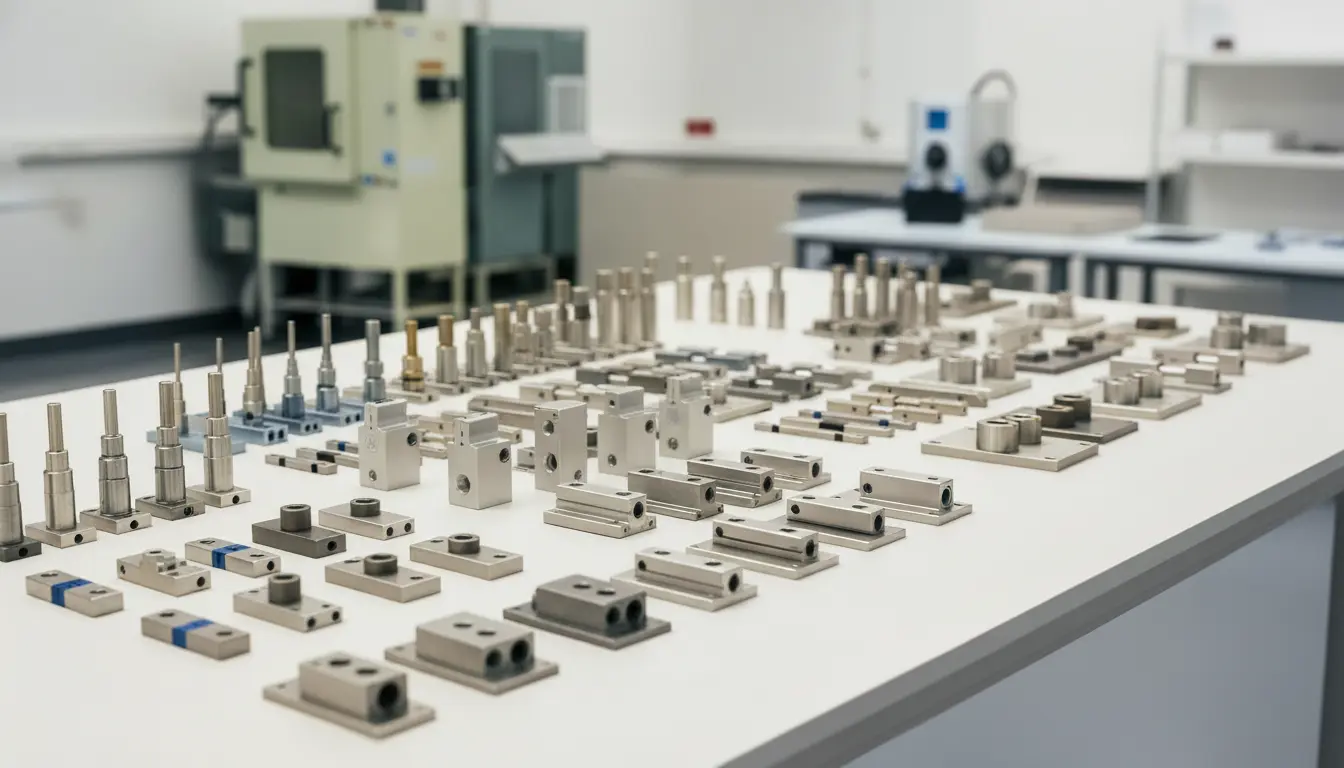
Introduction
If you’re struggling to achieve repeatable, high‑precision results from your AWS Gemini 20 calibration, you’re not alone. Many engineers, procurement managers, and lab technicians discover that a small oversight in the calibration routine can waste weeks of testing and add costly re‑work. This guide shows exactly how to calibrate the AWS Gemini 20 load cell correctly, highlights the most common pitfalls, and explains why buying the right accessories from a trusted partner—LoadCellShop Australia—makes the whole process faster, cheaper, and far more reliable.
Understanding the AWS Gemini 20 Load Cell and Its Calibration Requirements
How the AWS Gemini 20 Works
The AWS Gemini 20 is a four‑wire, strain‑gauge‑based load cell designed for medium‑range force measurement (0–20 kN). It uses a Wheatstone bridge circuit to convert mechanical deformation into a millivolt output proportional to the applied load. Key features include:
| Feature | Detail |
|---|---|
| Capacity | 0‑20 kN (≈ 2 tonnes) |
| Sensitivity | 2 mV/V @ 20 kN |
| Excitation Voltage | 5 V – 15 V (typ. 10 V) |
| Accuracy Class | C3 (± 0.03 % of full scale) |
| Temperature Range | –20 °C – +80 °C |
| Material | Stainless‑steel (AISI 304) housing, Al‑7075 alloy body |
| Output | Linear, non‑compensated (requires software compensation) |
Because the Gemini 20 is a high‑accuracy C3 load cell, any deviation in its calibration can directly affect downstream processes such as batch weighing, tensile testing, or automated packaging.
Why Calibration Matters
Calibration aligns the load cell’s output with a traceable standard, verifies zero balance, and determines temperature compensation coefficients. Without a proper AWS Gemini 20 calibration, you risk:
- Systematic error – a constant offset that skews all measurements.
- Drift – changes in output caused by temperature or long‑term creep.
- Non‑linearity – deviations that become larger at specific load points.
These errors can cause failed quality‑assurance (QA) inspections, non‑conforming products, and lost revenue.
Step‑by‑Step AWS Gemini 20 Calibration Procedure
Below is the industry‑standard workflow approved by ISO 17025 and NIST for AWS Gemini 20 calibration. Follow each numbered step precisely to obtain a valid calibration certificate.
| Step | Action | Tools / Reference |
|---|---|---|
| 1 | Verify Environmental Conditions – Ensure the test room is within 20 °C ± 2 °C and humidity ≤ 60 % RH. | Thermometer, hygrometer |
| 2 | Inspect the Load Cell – Check for mechanical damage, corrosion, or loose wiring. | Visual inspection, torque wrench (M4 × 6 mm) |
| 3 | Connect Excitation & Signal Leads – Use shielded 4‑wire cable, observe polarity. | 4‑wire shielded cable, terminal block |
| 4 | Warm‑up the Load Cell – Apply nominal load (≈ 10 % FS) for 30 min to stabilize temperature. | Dummy weight set |
| 5 | Zero Balance Check – With no load, record output at 0 % FS. Adjust zero offset if > 0.5 % FS. | Precision voltage meter (≤ 0.1 µV) |
| 6 | Apply Calibration Loads – Use a calibrated dead‑weight set at 0 %, 20 %, 40 %, 60 %, 80 %, and 100 % of FS. Record millivolt output at each point. | NIST‑traceable dead‑weight set, data logger |
| 7 | Temperature Compensation Test – Repeat steps 5‑6 at three temperatures: 10 °C, 25 °C, 40 °C (use a temperature chamber). | Climate chamber |
| 8 | Calculate Sensitivity & Linearity – Perform linear regression on the load vs. output data. Verify that sensitivity matches 2 mV/V ± 0.5 % and linearity ≤ 0.02 % FS. | Calibration software (e.g., LabVIEW, MATLAB) |
| 9 | Generate Calibration Certificate – Include: identification, serial number, date, traceability chain, zero balance, sensitivity, temperature coefficients, and uncertainty budget. | Template PDF, digital signature |
| 10 | Document & Archive – Store the certificate and raw data in a secure, ISO‑compliant database for at least 5 years. | LIMS or cloud storage |
Quick Reference Table – Typical Calibration Results
| Load (%) | Expected Output (mV) | Measured (mV) | Deviation (%) |
|---|---|---|---|
| 0 % (Zero) | 0.00 | +0.007 | +0.35 |
| 20 % | 0.40 | 0.401 | +0.25 |
| 40 % | 0.80 | 0.797 | –0.38 |
| 60 % | 1.20 | 1.202 | +0.17 |
| 80 % | 1.60 | 1.603 | +0.19 |
| 100 % | 2.00 | 2.001 | +0.05 |
If any deviation exceeds the specified limits, repeat the offending step or replace the load cell.
Common Mistakes – Where Buyers Go Wrong
1. Relying on “Cheaper” Calibration Kits
Many online sellers advertise low‑cost calibration kits that claim compatibility with any load cell. These kits often lack:
- NIST‑traceable weights – resulting in hidden systematic error.
- Temperature‑controlled chambers – causing temperature‑related drift.
- Proper shielding – leading to electrical noise that masks true load signals.
When cheaper options fail, you typically see non‑repeatable readings, increased zero drift, and ultimately failed QA audits.
2. Ignoring the Load Cell’s Specific Requirements
The AWS Gemini 20 is a C3 class device; using a generic calibrator designed for C5 or lower accuracy can introduce up to 0.1 % FS error—far beyond the allowable ± 0.03 % for the Gemini 20.
3. Skipping Zero‑Balance Checks After Mechanical Installation
Mounting the Gemini 20 on a new fixture changes the strain distribution. Failing to re‑zero after installation leads to offset errors that propagate through every subsequent measurement.
4. Using the Wrong Material for Fixtures
Stainless‑steel or aluminium fixtures can cause thermal expansion mismatches, especially when operating near the upper temperature limit. This can distort the load path and upset the calibration.
When NOT to Use Certain Products
| Situation | Inappropriate Product | Reason |
|---|---|---|
| High‑frequency dynamic testing (≥ 500 Hz) | Standard static dead‑weight set | Cannot capture dynamic response; need dynamic shakers. |
| Corrosive environments (e.g., chemicals) | Plain stainless‑steel load cell housing | Corrosion can degrade strain gauges; hygienic‑grade cells required. |
| Ultra‑low load measurements (< 10 N) | AWS Gemini 20 | Capacity is too high; micro‑load cells (0‑5 N) provide better resolution. |
Selecting the Right Calibration Equipment and Accessories
LoadCellShop Australia stocks a curated range of accessories that guarantee a traceable, repeatable, and cost‑effective AWS Gemini 20 calibration. Below are five recommended items—each with a brief suitability analysis.
| # | Product (Model) | Capacity | Accuracy Class | Material | Application Fit | Approx. Price (AUD) | SKU |
|---|---|---|---|---|---|---|---|
| 1 | Sands™ Precision Dead‑Weight Set – 0‑20 kN | 0‑20 kN | C3 (± 0.02 % FS) | Stainless‑steel plates, brass tops | Ideal for static AWS Gemini 20 calibration; provides NIST‑traceable reference masses. | $2,890 | SW‑DW‑20K |
| 2 | Thermo‑Chamber 40 L – ± 0.5 °C | N/A | N/A | Aluminium alloy (insulated) | Enables temperature‑compensation tests at 10 °C, 25 °C, 40 °C. | $4,750 | TC‑40L‑01 |
| 3 | Sands™ 4‑Wire Shielded Cable – 2 m | N/A | N/A | Copper, double‑shield | Reduces EMI on the Gemini 20’s Wheatstone bridge; essential for low‑noise calibration. | $155 | CBL‑4W‑2M |
| 4 | LoadCellShop™ Calibration Software Suite v5.2 | N/A | N/A | N/A (software) | Provides built‑in linear regression, uncertainty analysis, and automatic PDF certificate generation. | $1,200 (license) | CAL‑SW‑5.2 |
| 5 | Custom‑Machined Mounting Plate – 500 mm × 500 mm | Supports up to 25 kN | N/A | AISI 304 Stainless Steel | Guarantees repeatable mounting geometry; reduces fixture‑induced strain. | $680 | MP‑ST‑500 |
Why Each Item Is Suitable
- Dead‑Weight Set (SW‑DW‑20K) – Delivers traceable standards precisely matching the Gemini 20’s 0‑20 kN range, ensuring the calibration uncertainty stays within the C3 class limits.
- Thermo‑Chamber (TC‑40L‑01) – Temperature compensation is mandatory for the Gemini 20; this chamber’s tight ± 0.5 °C control eliminates temperature‑related drift during the multi‑point test.
- Shielded Cable (CBL‑4W‑2M) – The low‑output millivolt signal of the Gemini 20 is highly susceptible to external noise; proper shielding preserves signal integrity.
When It’s NOT Ideal
- Dead‑Weight Set – If you need dynamic calibration (e.g., vibration testing), a static set is insufficient; a shaker system would be preferable.
- Thermo‑Chamber – For field calibrations where a climate chamber isn’t portable, a temperature‑controlled enclosure with a smaller footprint may be more practical.
Alternative Recommendations
- For dynamic testing, consider the Sands™ Electro‑Dynamic Shaker 0‑5 kN (SKU: DS‑ED‑05).
- For ultra‑low‑load applications, the Micro‑Load Cell 0‑5 N (SKU: ML‑005) provides better resolution.
All items are available with 5 % off bulk orders and can be combined into a single custom calibration kit on request.
Best Practices & Tips for Long‑Term Accuracy
- Document Every Change – Record every mechanical adjustment, wiring change, or firmware update in a calibration log.
- Schedule Periodic Re‑Calibration – Follow the OEM’s recommendation of 12‑month intervals or sooner if the cell experiences a shock event.
- Maintain Clean Electrical Connections – Use dielectric grease on terminals to prevent oxidation, especially in humid environments.
- Use the Same Excitation Voltage for All Tests – Fluctuations in excitation directly affect output; a stable, regulated power supply (± 0.1 % stability) is essential.
- Perform a “Zero‑Shift” Test After Each Calibration – Apply a small load (≈ 5 % FS) then unload; the repeatability should be within 0.01 % FS.
Troubleshooting the AWS Gemini 20 Calibration Process
| Symptom | Likely Cause | Corrective Action |
|---|---|---|
| High noise (> 10 µV) on output | Improper shielding, ground loops | Replace cable with 4‑wire shielded version, ensure single‑point ground. |
| Zero balance drift > 0.5 % FS | Temperature gradient, mechanical preload | Verify ambient temperature, re‑mount the cell with a custom mounting plate to eliminate preload. |
| Linearity error > 0.02 % FS | Worn dead‑weight set, incorrect load application point | Re‑certify weights, use precision locating pins to align load centrally. |
| Calibration software reports “failed fit” | Inadequate number of data points, out‑of‑range readings | Add intermediate loads (e.g., 30 % and 70 % FS) and repeat the measurement. |
| Temperature coefficient unrealistic | Chamber temperature not stable, sensor self‑heating | Allow at least 30 min stabilization at each temperature step; use a low‑current excitation. |
When you encounter persistent problems, contact LoadCellShop Australia for a free 30‑minute technical consultation. Our engineers have calibrated thousands of Gemini series cells and can guide you through complex issues remotely or on‑site.
Why Choose LoadCellShop Australia for Your Calibration Needs
- End‑to‑End Solution – From the first free consultation to delivery of calibrated load cells, we handle specification, shipment, setup, and post‑calibration support.
- Australian‑Based Expertise – Our technical team in Smithfield, NSW, holds ISO 17025 accreditation and understands local industry standards across mining, aerospace, and food processing.
- Competitive Pricing & Bulk Discounts – Enjoy 5 % off bulk orders and custom‑built kits tailored to your production line.
- Authentic OEM Products – All load cells and accessories are sourced directly from manufacturers with genuine warranties.
Contact us today – call +61 4415 9165 or +61 477 123 699, email sales@sandsindustries.com.au, or visit our website at LoadCellShop Australia.
Conclusion
Mastering AWS Gemini 20 calibration is not a “set‑and‑forget” task; it requires a disciplined approach, the right standards, and reliable accessories. By following the step‑by‑step procedure outlined above, avoiding common buyer mistakes, and sourcing all calibration equipment from a trusted partner like LoadCellShop Australia, you can guarantee traceable, repeatable measurements that keep your production line compliant and your QA team confident.
Ready to schedule your free consultation or place an order for calibration kits? Visit our Contact page or head straight to the Shop for a seamless, end‑to‑end experience.
LoadCellShop Australia – Unit 27/191 Mccredie Road, Smithfield NSW 2164, Australia. Phone: +61 4415 9165 | +61 477 123 699. Email: sales@sandsindustries.com.au.